Choosing the right employee management platform can make a big difference in how efficiently a growing business handles scheduling, time tracking, communication, payroll, and day-to-day workforce operations.
Two popular options are Connecteam and Homebase. Both are designed for businesses with hourly or deskless employees, but they approach workforce management differently.
Connecteam focuses heavily on all-in-one employee management, including scheduling, time tracking, communication, training, forms, tasks, and operational tools. Homebase, meanwhile, is particularly strong for hourly teams that need scheduling, time clocks, payroll integrations, HR tools, and employee management in one place.
So, which one is better?
Connecteam is generally the better choice for businesses that want a broader employee-management and operations platform, while Homebase can be an excellent fit for small hourly businesses focused on scheduling, time tracking, HR, and payroll.
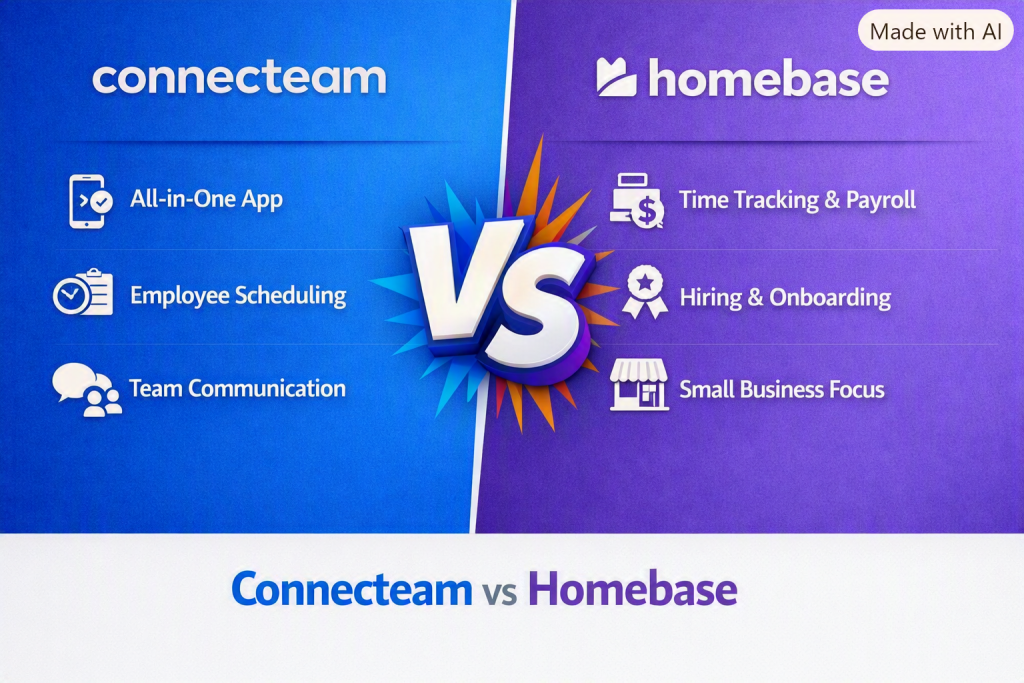
Let’s compare Connecteam vs Homebase in detail.
Connecteam vs Homebase at a Glance
| Feature | Connecteam | Homebase |
|---|---|---|
| Employee Scheduling | ⭐⭐⭐⭐⭐ | ⭐⭐⭐⭐⭐ |
| Time Tracking | ⭐⭐⭐⭐⭐ | ⭐⭐⭐⭐⭐ |
| Employee Communication | ⭐⭐⭐⭐⭐ | ⭐⭐⭐⭐ |
| Task Management | ⭐⭐⭐⭐⭐ | ⭐⭐⭐ |
| Training | ⭐⭐⭐⭐⭐ | ⭐⭐⭐ |
| Payroll | Integrations | Built-in payroll options |
| HR Tools | ⭐⭐⭐⭐ | ⭐⭐⭐⭐⭐ |
| Mobile App | ⭐⭐⭐⭐⭐ | ⭐⭐⭐⭐⭐ |
| Deskless Workforce | ⭐⭐⭐⭐⭐ | ⭐⭐⭐⭐ |
| Restaurant/Hourly Businesses | ⭐⭐⭐⭐ | ⭐⭐⭐⭐⭐ |
| Overall Flexibility | ⭐⭐⭐⭐⭐ | ⭐⭐⭐⭐ |
Winner for all-in-one workforce management: Connecteam
Winner for hourly-business HR and payroll: Homebase
What Is Connecteam?
Connecteam is an employee management platform designed primarily for businesses with deskless, mobile, and field-based workers.
Instead of relying on several separate applications, businesses can use Connecteam to manage multiple workforce activities from one platform.
Its tools generally cover areas such as:
- Employee scheduling
- Time tracking
- GPS and location-based workforce management
- Employee communication
- Task management
- Checklists and forms
- Training
- Employee recognition
- Company updates
- Workforce operations
This makes Connecteam particularly appealing to businesses where employees spend much of their working day away from a traditional office.
For example, cleaning companies, construction businesses, security companies, delivery operations, home-service companies, and field-service teams can benefit from its broader feature set.
What Is Homebase?
Homebase is a workforce management platform built with a strong focus on hourly employees and small businesses.
It provides tools for:
- Employee scheduling
- Time clocks
- Timesheets
- Payroll
- Hiring
- HR management
- Employee communication
- Labor-cost management
- PTO management
Homebase is especially popular among businesses such as restaurants, retail stores, salons, hospitality businesses, and other locations that employ hourly workers.
One of its major advantages is the way scheduling, time tracking, HR, and payroll-related workflows fit together.
Connecteam vs Homebase: Key Differences
The biggest difference between these platforms is their overall philosophy.
Connecteam is more operations-focused.
It attempts to bring employee communication, scheduling, time tracking, training, tasks, forms, and workforce operations into one ecosystem.
Homebase is more focused on hourly workforce management and HR.
It puts considerable emphasis on employee scheduling, time clocks, payroll, hiring, HR, and labor management.
That means neither platform is universally better.
Your choice depends largely on the type of business you operate and the features your team needs most.
1. Scheduling
Both Connecteam and Homebase offer employee scheduling tools.
With Connecteam, managers can create schedules, assign shifts, communicate schedule changes, and manage workforce availability through a mobile-friendly interface.
Its scheduling capabilities are particularly useful when employees work across different locations or jobs.
Homebase also provides strong scheduling functionality. Managers can create schedules, manage availability, communicate with employees, and monitor staffing requirements.
For restaurants and retail businesses with recurring hourly shifts, Homebase can be particularly convenient.
Winner: Tie
Choose Connecteam if scheduling is part of a larger field-workforce management system. Choose Homebase if scheduling is closely connected to hourly workforce and labor-management workflows.
2. Time Tracking
Time tracking is an important feature for both platforms.
Connecteam offers employee time tracking designed for businesses that need to know when and where employees are working. Depending on configuration and plan, businesses can use features such as GPS-based tracking and geofencing.
This can be useful for mobile and field-service teams.
Homebase also offers a digital time clock and timesheet functionality. Employees can clock in and out, while managers can review hours and prepare payroll information.
For traditional hourly workplaces, Homebase’s time-clock approach can be very convenient.
Winner: Connecteam for field teams; Homebase for traditional hourly workplaces
3. Payroll
Payroll is one of the areas where Homebase has a notable advantage for businesses looking for a more payroll-oriented workforce platform.
Homebase connects scheduling and time tracking with payroll workflows, helping businesses reduce manual work when processing employee hours.
Connecteam is primarily an employee management and operations platform rather than a full payroll provider. Businesses may need to connect it with another payroll service depending on their requirements.
If payroll is one of your most important purchasing criteria, Homebase deserves serious consideration.
Winner: Homebase
4. Employee Communication
Connecteam is particularly strong when employee communication is important.
The platform can help businesses distribute company updates, communicate with employees, share information, and keep deskless workers connected.
This can be valuable for organizations where employees aren’t sitting at computers all day.
Homebase also provides communication features, especially around shifts, scheduling, and employee coordination.
However, Connecteam generally provides a broader communication and engagement toolkit.
Winner: Connecteam
5. Task Management
Task management is another area where Connecteam stands out.
Managers can use the platform to assign tasks, provide instructions, monitor completion, and create structured workflows.
This can be especially useful for businesses where employees need to complete operational tasks during their shifts.
Homebase is more centered on workforce scheduling, time, HR, and payroll workflows, so it isn’t as focused on operational task management.
Winner: Connecteam
6. Employee Training
Connecteam offers tools that can help businesses create training materials, onboard employees, and distribute company knowledge.
This can be useful for companies that need employees to follow consistent procedures.
For example, a cleaning company could create training materials covering safety procedures, equipment usage, and customer-service standards.
Homebase offers HR and employee-management functionality, but training and operational learning are not as central to its platform.
Winner: Connecteam
7. HR Management
Homebase has a strong focus on HR tools for small businesses.
Depending on the plan and features available, businesses can use Homebase for areas such as employee onboarding, HR documentation, PTO, compliance-related workflows, and employee management.
Connecteam also offers HR-related capabilities, but its broader emphasis is employee operations and workforce management.
Winner: Homebase
8. Mobile Experience
Both platforms are designed with mobile employees in mind.
Connecteam is particularly mobile-centric because it was designed around deskless and distributed workforces.
Employees can use their smartphones for scheduling, communication, time tracking, tasks, training, and other activities.
Homebase also provides mobile apps that allow employees to interact with schedules, time clocks, and workplace information.
Winner: Connecteam
9. Ease of Use
Both platforms aim to make workforce management easier for small and medium-sized businesses.
Homebase can feel straightforward for businesses primarily interested in:
- Scheduling
- Time clocks
- Employee hours
- Payroll
- HR
Connecteam can require a little more setup because it offers a broader collection of tools.
However, that additional complexity can be worthwhile for companies that want more than basic scheduling and time tracking.
Winner: Homebase for simplicity; Connecteam for broader functionality
10. Best for Deskless Employees
This is one of Connecteam’s strongest categories.
If employees spend most of their day in the field rather than behind a desk, Connecteam’s combination of communication, scheduling, time tracking, tasks, training, forms, and operational features can be extremely useful.
Examples include:
- Construction teams
- Cleaning companies
- Security businesses
- Delivery teams
- Maintenance companies
- Home-service businesses
- Field-service organizations
Homebase can still work for hourly employees in these industries, but Connecteam is generally more purpose-built for complex deskless operations.
Winner: Connecteam
Connecteam vs Homebase Pricing
Pricing can change based on plans, employee counts, promotions, billing frequency, and optional features, so businesses should check the current pricing pages before making a purchasing decision.
In general, the two platforms approach pricing differently because they target somewhat different workforce-management needs.
When comparing costs, don’t look only at the monthly subscription.
Consider the total cost of your workforce-management stack, including:
- Scheduling
- Time tracking
- Payroll
- HR
- Employee communication
- Training
- Task management
- Forms
- Reporting
- Additional integrations
A platform that costs slightly more but replaces several separate tools could potentially provide better overall value.
Connecteam Pros and Cons
Pros
- Excellent for deskless and field employees
- Strong mobile experience
- Comprehensive employee management
- Powerful scheduling tools
- Time tracking and workforce management
- Employee communication features
- Task and workflow management
- Training capabilities
- Forms and checklists
- Highly flexible for different industries
Cons
- Broader feature set can require more setup
- Payroll generally requires integrations rather than being the platform’s primary focus
- Some advanced features may require higher-tier plans
- Can be more functionality than a very small business needs
Homebase Pros and Cons
Pros
- Excellent for hourly businesses
- Strong scheduling functionality
- Digital time clock
- Payroll-focused workflows
- HR features
- Hiring tools
- Employee communication
- Good mobile experience
- Particularly useful for restaurants and retail businesses
Cons
- Less focused on operational task management
- Not as comprehensive for deskless workforce operations
- Businesses needing advanced field-management features may prefer Connecteam
- Some features depend on plan availability and integrations
Connecteam vs Homebase: Which Is Better for Small Businesses?
For a small business with a relatively simple workforce, either platform can work well.
Choose Homebase if your priorities are:
- Employee scheduling
- Time clocks
- Payroll
- HR
- Hiring
- Hourly employee management
Choose Connecteam if your priorities are:
- Employee communication
- Field operations
- Task management
- GPS-based workforce management
- Training
- Forms
- Checklists
- Scheduling
- Time tracking
Connecteam vs Homebase for Restaurants
Restaurants often have unique workforce-management requirements.
They need to create shift schedules, manage employee availability, track hours, communicate schedule changes, and control labor costs.
Homebase is particularly compelling for this type of business because it is strongly oriented toward hourly workplaces.
Connecteam can also handle restaurant workforce management, especially if the restaurant needs broader employee communication, training, task management, and operational workflows.
Best for most restaurant-focused teams: Homebase
Best for restaurants wanting broader employee operations: Connecteam
Connecteam vs Homebase for Construction Companies
Construction companies often have employees working across job sites rather than at a single location.
They may need:
- GPS-based time tracking
- Employee scheduling
- Job-site communication
- Task management
- Forms
- Checklists
- Training
- Field documentation
This makes Connecteam a particularly strong option.
Winner: Connecteam
Connecteam vs Homebase for Cleaning Companies
Cleaning companies often coordinate employees across multiple customer locations.
Managers may need to schedule cleaners, track working hours, assign tasks, communicate instructions, and ensure specific cleaning procedures are followed.
Connecteam’s broader field-service functionality makes it a strong choice for this use case.
Winner: Connecteam
Connecteam vs Homebase for Retail
Retail businesses typically need reliable scheduling, time tracking, employee communication, and labor management.
Homebase can be particularly attractive for small and medium-sized retail businesses because of its hourly workforce focus.
Connecteam becomes more compelling when the retailer also wants extensive training, task management, internal communication, and operational workflows.
Winner: Homebase for traditional retail workforce management
Connecteam vs Homebase: Which One Should You Choose?
The right choice depends on your workforce.
Choose Connecteam if:
- Your employees work in the field
- You need GPS-based workforce management
- You want employee communication in the same platform
- You need task management
- Training is important
- Your workforce operates across multiple locations
- You want an all-in-one employee operations platform
Choose Homebase if:
- You operate a restaurant or retail business
- Most employees are hourly workers
- Scheduling is your main concern
- You want integrated time tracking
- Payroll is important
- You need small-business HR tools
- You want a straightforward workforce-management solution
Final Verdict
Connecteam vs Homebase isn’t simply a matter of which platform has more features. The better option depends on what your business needs from employee management software.
Connecteam is the stronger overall choice for businesses with deskless, mobile, distributed, or field-based employees. Its combination of scheduling, time tracking, communication, tasks, training, forms, and operational tools gives it considerable flexibility.
Homebase is an excellent alternative for small businesses with hourly employees, particularly restaurants, retail stores, and similar workplaces. Its focus on scheduling, time tracking, payroll, HR, and hiring makes it a practical choice for traditional hourly workforce management.
Our Pick
🏆 Best overall for deskless workforce management: Connecteam
💼 Best for hourly workforce, HR, and payroll: Homebase
If your business needs more than just a digital time clock and employee schedule, Connecteam is likely the better long-term choice. If your primary goal is to simplify hourly scheduling, time tracking, payroll, and HR, Homebase may be the better fit.
Frequently Asked Questions
Is Connecteam better than Homebase?
Connecteam is generally better for businesses managing deskless and field employees because it provides broader tools for communication, tasks, training, scheduling, and workforce operations. Homebase can be better for small hourly businesses that prioritize scheduling, time tracking, HR, and payroll.
Can Connecteam replace Homebase?
In many businesses, Connecteam can replace several of the workforce-management functions provided by Homebase. However, businesses should compare specific payroll, HR, and integration requirements before switching.
Is Homebase good for small businesses?
Yes. Homebase is particularly suited to small businesses with hourly employees, including restaurants, retail stores, salons, and hospitality businesses.
Is Connecteam good for restaurants?
Yes. Connecteam can support restaurant teams with scheduling, time tracking, communication, training, tasks, and operational workflows. However, businesses primarily looking for restaurant-focused scheduling, payroll, and HR tools may prefer Homebase.
Which is better for employee scheduling?
Both are strong scheduling platforms. Homebase may be preferable for traditional hourly businesses, while Connecteam offers stronger scheduling capabilities when shifts need to be combined with broader field operations and employee-management workflows.
Which is better for time tracking?
Both provide strong time-tracking functionality. Connecteam has an advantage for businesses that need location-aware or field-oriented workforce tracking, while Homebase is particularly convenient for conventional hourly workplaces.
Which is better for payroll?
Homebase has the advantage if payroll is a central requirement. Connecteam is primarily an employee-management and workforce-operations platform and may require payroll integrations.
Connecteam Employee Management Software