Tracking employee work hours has come a long way from paper timesheets and punch cards. Today, businesses of all sizes rely on employee time tracking software to record attendance, calculate working hours, manage overtime, and prepare payroll with greater accuracy.
Whether you manage a retail store, restaurant, construction company, healthcare practice, or remote workforce, knowing exactly when employees start, finish, and take breaks is essential for efficient operations.
Modern time tracking software does much more than record hours. It helps businesses reduce payroll errors, improve productivity, simplify compliance, and gain valuable insights into workforce performance.
In this post, we’ll explain what employee time tracking software is, how it works, its key features, benefits, and the best solutions available in 2026.
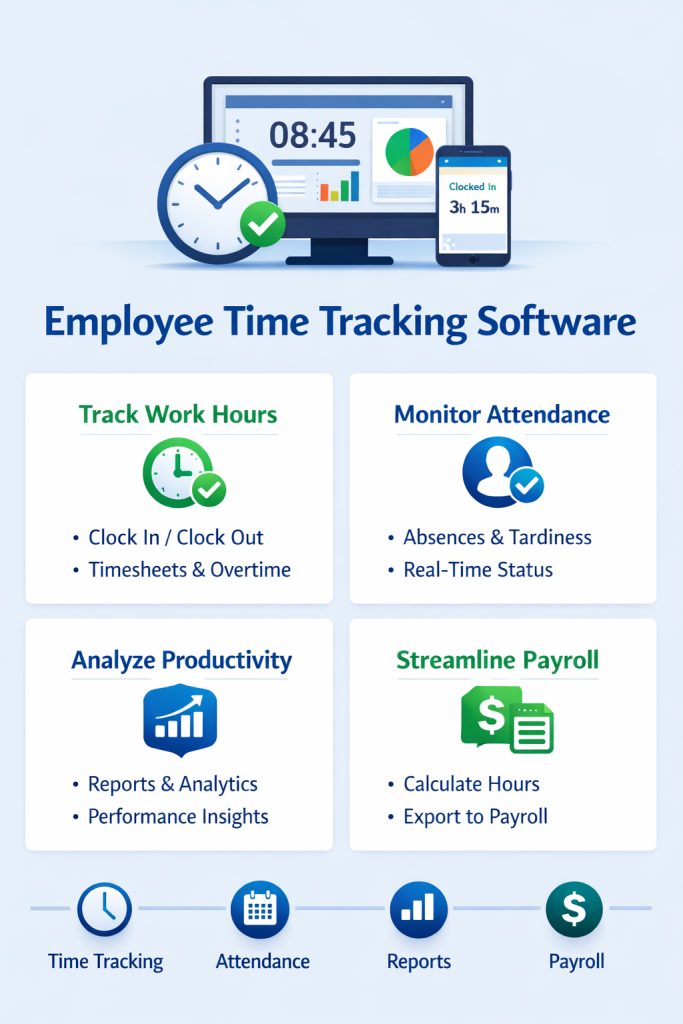
What Is Employee Time Tracking Software?
Employee time tracking software is a digital tool that records employee working hours, attendance, and breaks while generating accurate timesheets for payroll and reporting.
Most modern platforms also include workforce management features such as:
- Employee clock-in and clock-out
- GPS location tracking
- Geofencing
- Overtime monitoring
- Break management
- Shift scheduling
- Leave management
- Attendance reporting
- Payroll integrations
- Mobile applications
Instead of relying on manual attendance sheets or spreadsheets, businesses can automate the entire time-tracking process.
How Does Employee Time Tracking Software Work?
Most time tracking systems follow a simple workflow:
- Employees clock in using a mobile app, web browser, tablet, or kiosk.
- The system records the date and time automatically.
- GPS or geofencing (if enabled) verifies the employee’s work location.
- Employees clock out at the end of their shift.
- Breaks and overtime are recorded automatically.
- Managers review and approve timesheets.
- Approved hours are exported to payroll software.
This process significantly reduces manual calculations and administrative effort.
Why Is Time Tracking Important?
Accurate time tracking benefits both employers and employees.
For employers, it helps:
- Reduce payroll mistakes
- Prevent time theft
- Monitor attendance
- Control labor costs
- Improve scheduling
- Maintain labor law compliance
For employees, it provides:
- Transparent work-hour records
- Accurate overtime calculations
- Easy access to attendance history
- Fair payroll processing
Essential Features to Look For
1. Mobile Clock-In & Clock-Out
Employees should be able to record their work hours directly from their smartphones or tablets.
This is especially useful for remote workers and field employees.
2. GPS Tracking
GPS verification confirms employees are clocking in from approved job sites.
Ideal for:
- Construction
- Delivery
- Cleaning services
- Home healthcare
- Landscaping
- Field service businesses
3. Geofencing
Geofencing creates a virtual boundary around a work location.
Employees can only clock in when they are inside the approved area, reducing inaccurate attendance records.
4. Automatic Timesheets
The software automatically calculates:
- Regular hours
- Overtime
- Breaks
- Total weekly hours
Managers no longer need to create timesheets manually.
5. Shift Scheduling Integration
Many time tracking platforms integrate scheduling with attendance.
Employees can:
- View upcoming shifts
- Receive reminders
- Clock in directly from scheduled shifts
6. Break Tracking
Employees can log meal and rest breaks, helping businesses comply with labor regulations while maintaining accurate payroll records.
7. Overtime Monitoring
The system can automatically calculate overtime based on company policies or local labor laws.
Managers receive alerts before overtime costs become excessive.
8. Leave Management
Employees can request:
- Vacation
- Sick leave
- Personal leave
- Paid time off (PTO)
Approved leave is reflected in attendance records.
9. Payroll Integration
Many time tracking tools integrate with payroll software, allowing approved hours to be transferred automatically and reducing duplicate data entry.
10. Reports & Analytics
Reporting tools help managers analyze:
- Employee attendance
- Overtime trends
- Absenteeism
- Labor costs
- Productivity
- Payroll summaries
These insights support better workforce planning.
Benefits of Employee Time Tracking Software
Improves Payroll Accuracy
Automated timesheets reduce manual calculations and minimize payroll errors.
Saves Administrative Time
Managers spend less time reviewing attendance records and preparing payroll.
Reduces Time Theft
GPS tracking and geofencing help verify that employees are working from approved locations.
Enhances Productivity
Employees are more likely to follow schedules and complete shifts accurately when attendance is tracked consistently.
Supports Compliance
Digital attendance records make it easier to comply with labor regulations and respond to audits.
Better Workforce Planning
Managers gain visibility into staffing levels, overtime, and attendance trends, helping them make informed scheduling decisions.
Who Should Use Employee Time Tracking Software?
Time tracking software is valuable for organizations of all sizes, particularly those with hourly or shift-based employees.
Common industries include:
- Construction
- Retail
- Restaurants
- Hospitality
- Manufacturing
- Healthcare
- Logistics
- Warehousing
- Cleaning services
- Security
- Field services
- Education
Remote and hybrid teams can also benefit from accurate digital attendance tracking.
Best Employee Time Tracking Software in 2026
1. Connecteam
Best Overall for Frontline Teams
Highlights
- GPS-enabled time clock
- Geofencing
- Employee scheduling
- Team communication
- Digital forms
- Mobile-first design
- Payroll-ready timesheets
Best For: Construction, retail, logistics, healthcare, hospitality, and field service businesses.
Rating: ⭐⭐⭐⭐⭐ (4.9/5)
2. Clockify
Best Free Time Tracking Software
Features
- Unlimited time tracking
- Timesheets
- Project tracking
- Reporting
Best For: Freelancers, agencies, and remote teams.
Rating: ⭐⭐⭐⭐☆ (4.8/5)
3. Jibble
Best for GPS Attendance
Features
- GPS verification
- Facial recognition
- Mobile attendance
- Timesheets
Best For: Mobile workforces and field teams.
Rating: ⭐⭐⭐⭐☆ (4.7/5)
4. Homebase
Best for Small Businesses
Features
- Employee scheduling
- Time clock
- Team messaging
- Payroll integrations
Best For: Restaurants and retail.
Rating: ⭐⭐⭐⭐☆ (4.7/5)
5. Deputy
Best for Shift-Based Businesses
Features
- Smart scheduling
- Attendance tracking
- Labor forecasting
- Payroll integrations
Best For: Medium and large organizations.
Rating: ⭐⭐⭐⭐☆ (4.7/5)
Comparison Table
| Software | GPS Tracking | Scheduling | Mobile App | Free Plan |
|---|---|---|---|---|
| Connecteam | ✅ | ✅ | ✅ | ✅ |
| Clockify | Limited | ❌ | ✅ | ✅ |
| Jibble | ✅ | Basic | ✅ | ✅ |
| Homebase | Limited | ✅ | ✅ | ✅ |
| Deputy | Limited | ✅ | ✅ | Trial |
Free vs Paid Time Tracking Software
| Feature | Free Plans | Paid Plans |
|---|---|---|
| Clock-In/Out | ✅ | ✅ |
| Mobile App | ✅ | ✅ |
| Timesheets | ✅ | ✅ |
| GPS Tracking | Limited | ✅ |
| Geofencing | Rare | ✅ |
| Payroll Integrations | Limited | ✅ |
| Advanced Reports | Limited | ✅ |
| Workflow Automation | ❌ | ✅ |
Free plans are suitable for many startups and small businesses, while paid plans provide advanced controls, reporting, and integrations for growing organizations.
Common Mistakes When Choosing Time Tracking Software
Avoid these common pitfalls:
- Choosing software based only on price
- Ignoring mobile usability
- Overlooking payroll integration
- Selecting features your team won’t use
- Failing to consider scalability
- Not checking reporting capabilities
- Ignoring customer support quality
Choosing software that fits your workflow today and can grow with your business will provide better long-term value.
How to Choose the Right Employee Time Tracking Software
Before making a decision, ask yourself:
- Do employees work from multiple locations?
- Is GPS verification important?
- Do you need employee scheduling?
- Will you integrate with payroll software?
- Do employees frequently work overtime?
- Is mobile access essential?
- Will your workforce continue to grow?
Answering these questions will help narrow your options and ensure you invest in the right platform.
Final Thought
Employee time tracking software is no longer just a digital replacement for paper timesheets. Today’s solutions combine attendance tracking, scheduling, payroll preparation, and workforce analytics into a single platform that improves efficiency and accuracy.
For businesses with deskless or frontline employees, Connecteam offers one of the most comprehensive solutions thanks to its GPS-enabled time clock, scheduling tools, mobile-first experience, and integrated workforce management features.
If your primary need is simple time tracking, Clockify and Jibble are excellent alternatives, while Homebase and Deputy are strong choices for shift-based businesses.
The best software depends on your industry, team size, and operational requirements, so take advantage of free plans or trials before making a long-term commitment.
Frequently Asked Questions (FAQs)
What is employee time tracking software?
Employee time tracking software records work hours, attendance, breaks, and overtime while generating accurate timesheets for payroll and reporting.
Why should businesses use time tracking software?
It improves payroll accuracy, reduces manual work, enhances productivity, supports labor law compliance, and provides better visibility into employee attendance.
Is GPS time tracking legal?
In many regions, GPS tracking is permitted for legitimate business purposes, provided employers comply with applicable privacy and employment laws and inform employees about monitoring practices.
Which is the best employee time tracking software?
Connecteam is a strong all-around option for businesses that need integrated scheduling, GPS tracking, communication, and workforce management. Other popular choices include Clockify, Jibble, Homebase, and Deputy.
Can small businesses use free time tracking software?
Yes. Several providers offer free plans with essential features, making them suitable for startups and small businesses with straightforward attendance tracking needs.