Managing today’s workforce is about much more than creating schedules. Businesses need to track employee hours, communicate with teams, approve leave requests, monitor productivity, manage compliance, and prepare payroll—all while supporting remote, hybrid, and frontline employees.
Trying to handle these tasks manually often leads to scheduling conflicts, payroll errors, communication gaps, and unnecessary administrative work.
That’s why many organizations invest in workforce management software.
The challenge is choosing the right platform. Some solutions focus on scheduling, while others specialize in HR, payroll, or all-in-one workforce management.
This comparison guide reviews the leading workforce management software available in 2026, helping you understand their strengths, limitations, pricing models, and ideal use cases.
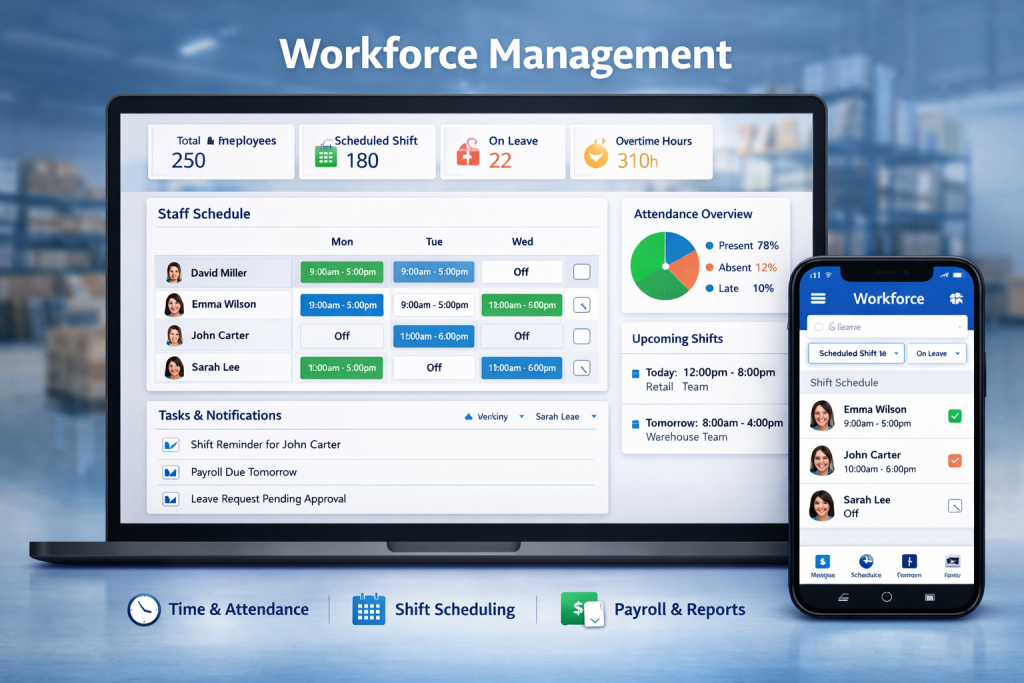
What Is Workforce Management Software?
Workforce management (WFM) software helps businesses organize, monitor, and optimize employee operations.
A typical platform includes tools for:
- Employee scheduling
- Time tracking
- Attendance management
- Leave management
- Team communication
- Task assignment
- Payroll preparation
- Employee onboarding
- HR administration
- Reporting and analytics
Modern workforce management platforms centralize these processes, reducing manual work and improving operational efficiency.
Quick Comparison Table
| Software | Best For | Free Plan | Time Tracking | Scheduling | HR Tools | Overall Rating |
|---|---|---|---|---|---|---|
| Connecteam | Frontline & deskless teams | ✅ | ✅ | ✅ | ✅ | ⭐⭐⭐⭐⭐ (4.9/5) |
| Deputy | Shift-based businesses | Trial | ✅ | ✅ | Limited | ⭐⭐⭐⭐☆ (4.8/5) |
| Homebase | Restaurants & retail | ✅ | ✅ | ✅ | Basic | ⭐⭐⭐⭐☆ (4.7/5) |
| Rippling | Growing businesses | ❌ | ✅ | Basic | Excellent | ⭐⭐⭐⭐☆ (4.8/5) |
| BambooHR | HR management | Trial | Basic | Basic | Excellent | ⭐⭐⭐⭐☆ (4.7/5) |
| UKG Ready | Mid-size enterprises | Demo | ✅ | ✅ | Advanced | ⭐⭐⭐⭐☆ (4.7/5) |
| ADP Workforce Now | Payroll & HR | Demo | ✅ | ✅ | Advanced | ⭐⭐⭐⭐☆ (4.7/5) |
| Zoho People | Small businesses | Limited | Basic | Limited | Excellent | ⭐⭐⭐⭐☆ (4.6/5) |
| When I Work | Hourly employees | Trial | ✅ | ✅ | Basic | ⭐⭐⭐⭐☆ (4.6/5) |
| Sling | Scheduling & communication | ✅ | Limited | ✅ | Basic | ⭐⭐⭐⭐☆ (4.5/5) |
1. Connecteam
Best Overall Workforce Management Software
Connecteam is an all-in-one workforce management solution designed primarily for deskless and frontline employees.
It combines scheduling, GPS-enabled time tracking, communication, task management, HR tools, onboarding, digital forms, and workflow automation into a single mobile-first platform.
Key Features
- Employee scheduling
- GPS time clock
- Team chat
- Digital forms
- Employee onboarding
- HR document management
- Workflow automation
- Task management
- Company news feed
- Mobile app
Pros
- Comprehensive all-in-one platform
- Excellent mobile experience
- Free plan for eligible small teams
- Easy implementation
- Strong communication tools
Cons
- Some advanced features require higher-tier plans
Best For: Construction, retail, logistics, hospitality, healthcare, cleaning services, and field service businesses.
2. Deputy
Deputy focuses on employee scheduling and workforce optimization.
Strengths
- Smart scheduling
- Shift swapping
- Attendance tracking
- Labor cost forecasting
- Compliance management
Pros
- Advanced scheduling engine
- Strong labor planning
- Enterprise-ready
Cons
- No permanent free plan
- HR functionality is more limited than all-in-one platforms
Best For: Shift-based organizations.
3. Homebase
Homebase is particularly popular with restaurants, cafés, and retail stores.
Features
- Employee scheduling
- Time clock
- Team messaging
- Hiring support
- Payroll integrations
Pros
- Easy to learn
- Free plan available
- Great for hourly workers
Cons
- Basic HR capabilities
- Advanced reporting requires paid plans
4. Rippling
Rippling combines workforce management with HR, IT, payroll, and device management.
Features
- HR management
- Payroll
- Benefits administration
- Identity management
- Employee lifecycle automation
Pros
- Extremely comprehensive
- Excellent automation
- Strong integrations
Cons
- Higher pricing
- More complex setup
Best For: Fast-growing companies needing HR and IT management.
5. BambooHR
BambooHR focuses on simplifying HR processes.
Features
- Employee database
- Hiring
- Performance reviews
- Onboarding
- Leave tracking
Pros
- Excellent HR tools
- User-friendly
- Great onboarding experience
Cons
- Scheduling features are limited
- Better suited for office-based organizations
6. UKG Ready
UKG Ready provides enterprise-level workforce management.
Features
- Scheduling
- Attendance
- Payroll
- Compliance
- HR management
- Analytics
Pros
- Enterprise scalability
- Advanced reporting
- Strong compliance capabilities
Cons
- Higher implementation cost
- Better suited to medium and large organizations
7. ADP Workforce Now
ADP Workforce Now combines payroll, HR, and workforce management.
Features
- Payroll
- Attendance
- Benefits
- Scheduling
- Compliance
- HR reporting
Pros
- Industry-leading payroll
- Strong compliance
- Enterprise support
Cons
- Premium pricing
- More features than some small businesses need
8. Zoho People
Zoho People is a cost-effective HR platform for small businesses.
Features
- Leave management
- Employee records
- Performance tracking
- Attendance
Pros
- Affordable
- Strong HR functionality
- Integrates with the Zoho ecosystem
Cons
- Limited scheduling capabilities
9. When I Work
When I Work is designed for businesses managing hourly employees.
Features
- Scheduling
- Attendance
- Team messaging
- Shift reminders
Pros
- Excellent mobile app
- Easy scheduling
- Quick setup
Cons
- Limited HR management
10. Sling
Sling focuses on scheduling and communication.
Features
- Shift scheduling
- Messaging
- Task management
- Calendar integration
Pros
- Free plan available
- Simple interface
- Easy shift management
Cons
- Basic reporting
- Limited HR tools
Feature Comparison
| Feature | Connecteam | Deputy | Homebase | Rippling | BambooHR |
|---|---|---|---|---|---|
| Employee Scheduling | ✅ | ✅ | ✅ | Limited | Limited |
| Time Tracking | ✅ | ✅ | ✅ | ✅ | Basic |
| GPS Tracking | ✅ | Limited | Limited | ❌ | ❌ |
| Team Chat | ✅ | Basic | ✅ | Basic | ❌ |
| HR Management | ✅ | Basic | Basic | ✅ | ✅ |
| Employee Onboarding | ✅ | Limited | Basic | ✅ | ✅ |
| Task Management | ✅ | Basic | Limited | Limited | ❌ |
| Workflow Automation | ✅ | Basic | Limited | ✅ | Limited |
| Payroll Support | Integrations | Integrations | Integrations | Built-in | Integrations |
Pricing Comparison
| Software | Starting Cost | Free Plan |
|---|---|---|
| Connecteam | Free + Paid Plans | ✅ |
| Homebase | Free + Paid Plans | ✅ |
| Sling | Free + Paid Plans | ✅ |
| Deputy | Paid | Trial |
| When I Work | Paid | Trial |
| Rippling | Custom Pricing | ❌ |
| BambooHR | Custom Pricing | Trial |
| UKG Ready | Custom Quote | Demo |
| ADP Workforce Now | Custom Quote | Demo |
| Zoho People | Free Limited | ✅ Limited |
Pricing structures can change over time, so it’s always wise to confirm the latest details with the vendor before making a purchase decision.
How to Choose the Right Workforce Management Software
Before selecting a platform, evaluate:
Business Size
Small businesses may benefit from simple, affordable platforms, while larger organizations often require advanced reporting and compliance features.
Workforce Type
Field workers, office employees, retail staff, and healthcare professionals each have different scheduling and communication needs.
Essential Features
Prioritize the capabilities your business uses every day, such as:
- Scheduling
- Time tracking
- Payroll support
- HR management
- Mobile access
- Team communication
- Workflow automation
Integration Needs
Consider whether the platform works with your existing payroll, accounting, or HR systems.
Budget
Free plans may be enough for startups, while growing businesses should compare long-term value rather than focusing only on subscription costs.
Which Workforce Management Software Is Best?
The best platform depends on your organization’s goals.
- Best Overall: Connecteam
- Best for Scheduling: Deputy
- Best for Restaurants: Homebase
- Best for HR & IT: Rippling
- Best HR Platform: BambooHR
- Best Enterprise Option: UKG Ready
- Best Payroll Solution: ADP Workforce Now
- Best Budget HR Tool: Zoho People
- Best for Hourly Employees: When I Work
- Best Free Scheduling Tool: Sling
Final Thought
Workforce management software has become an essential investment for businesses looking to improve efficiency, reduce manual processes, and enhance employee experiences.
For organizations with frontline or deskless employees, Connecteam offers one of the most complete all-in-one solutions by combining scheduling, time tracking, communication, task management, and HR tools into a single mobile-first platform.
Companies with specialized needs—such as enterprise payroll, advanced HR administration, or complex compliance requirements—may find platforms like Rippling, UKG Ready, or ADP Workforce Now better suited to their workflows.
Ultimately, the right choice depends on your workforce size, industry, budget, and operational priorities. Take advantage of free plans, product demos, or trial periods whenever possible to ensure the software aligns with your business needs before making a long-term commitment.
Frequently Asked Questions (FAQs)
What is workforce management software?
Workforce management software helps businesses manage employee scheduling, attendance, time tracking, communication, HR processes, and workforce reporting from a centralized platform.
Which workforce management software is best for small businesses?
Connecteam, Homebase, and Zoho People are popular choices for small businesses due to their ease of use, mobile apps, and affordable pricing options.
Does workforce management software include payroll?
Some platforms include built-in payroll, while others integrate with third-party payroll providers. It’s important to review each platform’s payroll capabilities before choosing one.
Can workforce management software improve productivity?
Yes. By automating scheduling, attendance tracking, communication, and administrative tasks, workforce management software can help reduce manual work and improve operational efficiency.
Is free workforce management software available?
Yes. Several providers, including Connecteam, Homebase, Sling, and Zoho People, offer free plans with core workforce management features, although advanced capabilities are typically available through paid subscriptions.